

The fastest way to find the halfway point between two addresses is to paste both full street addresses into a midpoint tool like Whatshalfway or MeetWays, and you’ll get a usable answer in seconds, often with nearby cafes and restaurants already listed. Use complete street addresses, not just city names, because a city-center midpoint can land miles off when one of you starts from a suburb. The rest of this is a repeatable method you can run on any pair of addresses, plus a free manual fallback for when you don’t want to trust a tool you’ve never used.
The Fastest Way to Find the Halfway Point Between Two Addresses
The one-line version: open a midpoint tool, type in both addresses, hit go, and you have the halfway point between two addresses in under thirty seconds, usually with a short list of places to actually meet. Whatshalfway, MeetWays, and Mappr all do this.
One rule that matters more than the tool you pick: enter full street addresses, not city names. A midpoint calculated from one downtown to another uses the two city cores. If you live twenty minutes south of one of them, the real fair point shifts, and the tool can’t know that unless you tell it your actual starting address.
So that’s the speed answer. If you just needed a spot for Saturday, you’re done. If you want to understand which midpoint you’re actually getting, or run this without a third-party site, keep reading.
Straight-Line Midpoint vs. Drive-Time Midpoint
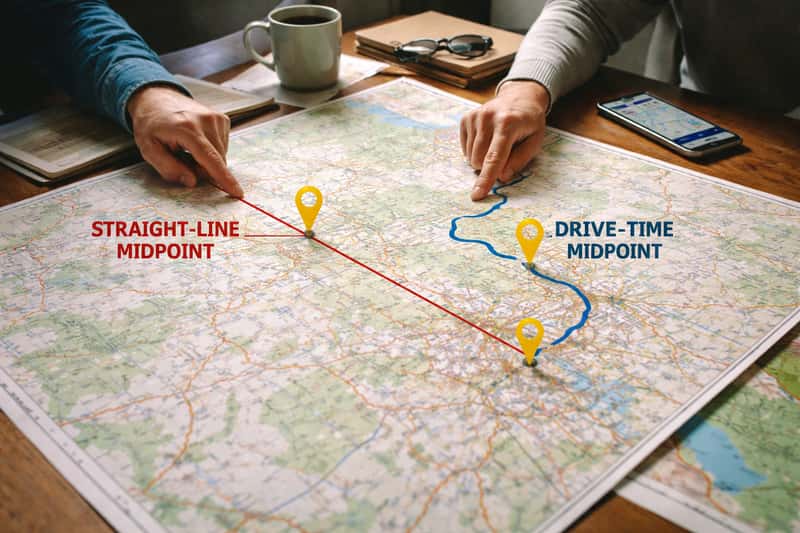
There are two different things people call “the middle,” and they’re not the same place. The geographic midpoint is pure math: stretch a straight line between the two addresses and find the dead center. It ignores roads entirely. The drive-time midpoint is where both people spend equal time behind the wheel getting there.
For a meetup or a road-trip stop, you almost always want the drive-time version. Roads bend. Traffic clots. A mountain pass turns ten map-miles into forty minutes of switchbacks. The geographic center can sit in a place neither of you can reach in equal time, which defeats the entire point of meeting in the middle.
Why Drive-Time Is Usually the One You Want
Equal miles sound fair until you look at the roads. One person cruises an interstate at 75 the whole way. The other crawls a two-lane mountain road with a toll booth and a construction zone. The odometer says the split was even. The clock says one of them did most of the actual driving. Nobody wants to be that person, and “but it was the same number of miles” is cold comfort when you arrive twenty minutes late and tired.
When the Straight-Line Midpoint Is Good Enough
Skip the extra steps when the two addresses sit on the same flat corridor with similar road types. Two towns on the same interstate, both flat, no tolls, no mountains? The straight-line midpoint and the drive-time midpoint land close enough that the difference doesn’t matter. The geographic midpoint is misleading mostly when terrain or road quality differs sharply between the two sides.
Method 1: Find the Midpoint With a Dedicated Tool
A dedicated finder is the fastest path because it does the routing math and the venue search in one shot. You enter two addresses, tell it whether to balance by time or by distance, and read the result. The good ones show each person’s drive and a cluster of places near the point.
Step-by-Step With a Midpoint Finder
- Enter address one as a full street address.
- Enter address two the same way.
- Choose whether to optimize by travel time or by distance.
- Run it and let it route both legs.
- Scan the suggested venues near the result and pick one with hours and parking that work.
Each step is one tap on a phone. The whole thing takes longer to read than to do.
Tools Worth Trying
- Whatshalfway: splits by time or distance and lists venues; has an iOS app for planning on the go.
- MeetWays: dead simple, two fields plus an optional place type like “restaurant.”
- Mappr: handles up to six addresses and shows each person’s drive time side by side.
- Split The Distance: leans hard on actual drive time for the fairness math.
- Travelmath: solid for a quick distance-based midpoint when you don’t need venues.
Some balance drive time, some only split distance, so pick based on how uneven your route is. When road quality or terrain differs sharply between the two sides, a time-based tool beats a straight-line one every time.
Method 2: Find the Halfway Point in Google Maps Manually
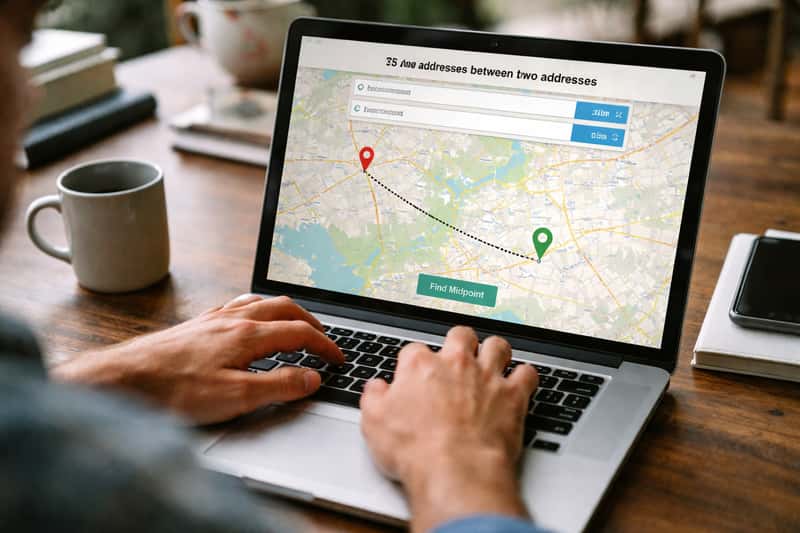
Some readers come looking specifically for the no-extra-tool method, either because they don’t want to type addresses into an unfamiliar site or because they want control over the result. Google Maps does it for free if you’re willing to drag a pin.
Drag-a-Waypoint Walkthrough
- Open Google Maps and set driving directions between your two addresses.
- Click “Add stop” to drop a third waypoint in the middle.
- Drag that waypoint along the route.
- Watch the time on each leg, not the miles.
- Stop dragging when both legs show roughly equal travel time.
Watching the time on each leg is the trick. Equalizing miles gives you the distance midpoint; equalizing the two clock readings approximates the drive-time midpoint you actually want.
When the Manual Method Beats a Tool
The manual route hands you control over which road the midpoint sits on. If an auto-suggested midpoint drops you on a highway with nothing around, you can drag your waypoint to the next exit with a town attached. The trade-off is real: it’s slower and more approximate than a dedicated finder, and you’re eyeballing the leg times instead of getting exact math. For a quick coffee that’s fine. For splitting a long corridor, a tool is faster.
Finding the Halfway Point for More Than Two Addresses
Three friends from three cities? The fair center stops being obvious the second you add a third person. You can’t eyeball it, and the geometric center of three points often favors whoever happens to live in the middle of the triangle. Several tools, Mappr among them, now handle up to six addresses and do the balancing for you.
Keeping It Fair Across the Group
You want each person’s drive time displayed side by side, not just a single dot on a map. That’s the only way to catch the quiet problem where one person ends up with the longest haul while everyone else got a short hop. Once you’ve found a fair point, check that it actually has somewhere to gather. A balanced midpoint in an empty field is a fair math answer and a useless meetup.
Turning the Midpoint Into an Actual Meetup Spot
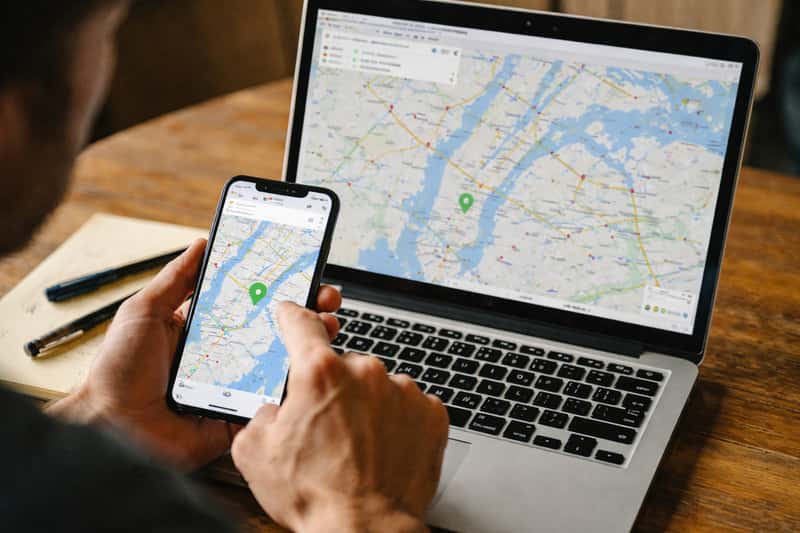
A coordinate is not a plan. The job isn’t finding the point, it’s finding the named place near the point that you can text the other person. “Meet at the coffee shop off exit 142” beats “meet at 39.7392 N, 104.9903 W” every time.
What to Look For Near the Midpoint
- Open hours that match when you’re meeting.
- Parking for however many cars.
- Food, even if it’s just decent coffee.
- Clean restrooms.
- A fit for whoever’s coming: kids, a dog, or an EV that needs a charge.
Check opening hours first. A midpoint town can look perfect on the map and turn out to be a closed truck stop on a Sunday morning. For EV trips, confirm there’s an actual charger near your stop using the federal public charging station map before you commit to a town in the middle of nowhere.
Picking a Stop for a Road-Trip Overnight
On a long drive, the midpoint isn’t a coffee, it’s a bed. Now you need a town with lodging and a dinner spot, not just a gas station. That often means nudging the stop a few miles off the mathematical middle toward the nearest real services. A perfect midpoint with no motel is worse than one fifteen minutes down the road with a hotel, a diner, and parking.
When You Should Not Meet Exactly in the Middle
A perfect 50/50 split can hand at least one person a worse trip. Lean the meetup toward whoever has kids strapped in the back, slower roads, or the heavier traffic side. And lean toward a spot with decent food and clean bathrooms over an empty interchange that happens to be mathematically central. A slightly lopsided drive to a good stop beats a balanced drive to nowhere.
Sanity-Checking the Result Before You Commit
Look at where the midpoint actually fell before you send the text. A highway interchange with no exit. The ocean. An empty stretch with no services for twenty miles. If it landed somewhere useless, adjust toward the nearest decent stop instead of forcing the math. The tool gives you a starting point, not a verdict.
A Note on Address Privacy
You’re typing home addresses into a third-party site, so think about it for a second. If you’d rather not hand over your exact front door, use a nearby landmark, a ZIP code, or a major intersection instead. Most tools accept those inputs and the midpoint barely moves.
The Bottom Line on Picking a Midpoint
The math is the easy part; any of these tools nails it in seconds. The real skill is reading where the point landed and deciding whether to honor it or nudge it toward a town with coffee and a bathroom. Run the tool, then trust your read on the route, because a fair drive to a closed parking lot helps no one.
FAQs about halfway point between two addresses
How do I find the halfway point between two addresses?
Paste both full street addresses into a midpoint tool like Whatshalfway, MeetWays, or Mappr, choose time or distance, and read the result. You’ll usually get nearby venues attached.
Is the halfway point based on distance or driving time?
It can be either, but driving time is the fairer measure for real trips. Equal miles can leave one person doing most of the actual driving when their side has slower roads or heavy traffic.
What is the difference between a geographic midpoint and a travel-time midpoint?
The geographic midpoint is the math center of a straight line between two points and ignores roads. The travel-time midpoint is where both people spend equal time driving, which accounts for real routes and traffic.
Can I use Google Maps to find the halfway point between two locations?
Yes. Set directions between the two addresses, click “Add stop,” then drag that stop along the route until both legs show roughly equal travel time. Watch the time, not the miles.
Are there free tools to calculate the midpoint between two addresses?
Yes. Whatshalfway, MeetWays, Mappr, Split The Distance, and Travelmath all offer free midpoint calculation, and the Google Maps drag-a-waypoint method costs nothing at all.
How do I find a fair halfway point for more than two people?
Use a tool that supports multiple addresses, like Mappr, which handles up to six. The key is seeing each person’s drive time side by side so nobody quietly gets stuck with the longest haul.
Can I find a halfway point that includes restaurants or cafes to meet at?
Most modern midpoint tools combine the calculation with venue discovery, returning nearby restaurants, cafes, parks, and hotels. That’s what turns a raw coordinate into a place you can name in a text.
How do I find a halfway point for a road-trip overnight stop?
Calculate the drive-time midpoint, then look for a nearby town with lodging and dinner. You’ll often nudge the stop a few miles off the exact middle toward the nearest real services.
How accurate are meet-in-the-middle websites for long-distance drives?
They’re accurate on the math but can drop you in small towns or interchanges with weak services on long routes. Always sanity-check where the point landed and adjust toward a real stop.
Is it better to meet halfway by distance or by travel time when traffic is uneven?
By travel time. When one side has heavy traffic, tolls, or mountain roads, splitting by distance is unfair. The travel-time midpoint keeps both people behind the wheel for roughly equal time.